Unitree Robotics
Compare
Mainly universities, laboratories and companies that see the price of the basic Unitree G1 and wonder why the developer version costs several times more at resellers. It is the same mechanical frame from Unitree Robotics: 132 cm and 35 kg. The difference lies in what you can do with the robot. The Unitree G1 is a variant without an SDK, meant for demonstrations, while the Unitree G1 EDU opens access to further programming (secondary development). Below we break the difference down into parameters and money.
Unitree Robotics

| Feature | Unitree G1 EDU (several configurations up to Ultimate D) | Unitree G1 (Standard) |
|---|---|---|
| Manufacturer | Unitree Robotics | Unitree Robotics |
| Price (PLN) | approx. 286,500 PLN* (≈ EUR 65,540)(converted from 73,900 USD, NBP rate 3.8762, as of 1 October 2026) | 79,900 PLN (≈ EUR 18,280) |
| Height (cm) | 132.0 | 132.0 |
| Weight (kg) | 35.0 | 35.0 |
| Degrees of freedom | 43 | 23 |
| Payload (kg) | 3.0 | 2.0 |
| Speed (m/s) | 2.0 | 2.0 |
| Runtime (h) | 2.0 | 2.0 |
| Status | on sale | on sale |
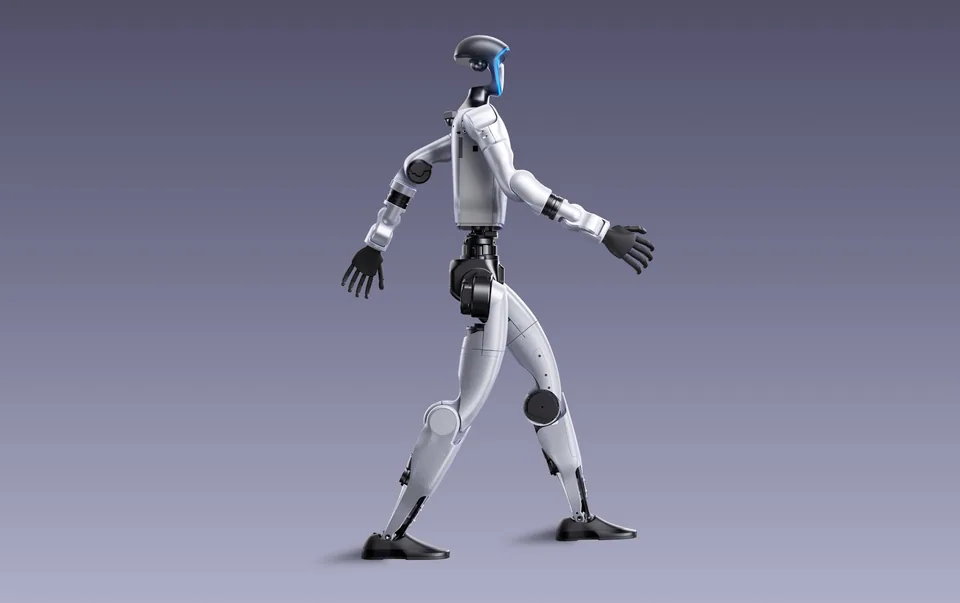
A great deal is shared: height of 132 cm, mass of 35 kg, a runtime of about 2 hours, walking speed of up to 2 m/s and the same sensor set of a depth camera, 3D LiDAR and a microphone array. The differences start inside. The Standard has 23 degrees of freedom (DOF) and an 8-core processor, the EDU up to 43 DOF, 7 of them in the hand alone, and an NVIDIA Jetson Orin computer (NVIDIA Jetson). Payload rises from 2 to 3 kg, and knee torque from 90 N·m to 120 N·m. The top EDU configuration, “Ultimate D”, adds five-fingered hands with a sense of touch. What such a number of joints means in practice is explained in “Degrees of Freedom (DOF) in Humanoid Robots”. The decisive point, however, is software rather than hardware: the Standard has no SDK access, so you cannot run your own control code on it.
Unitree publishes the price of the Standard: USD 13,500 net, before tax and shipping, or about PLN 52,300 (≈ EUR 11,960) at 3.8762 zloty to the dollar. According to outside sources street prices reach as much as USD 19,000, depending on the sales channel. The EDU has no official price list (quotes on request). US resellers list twelve configurations from about USD 43,900 to 73,900, which is roughly 3.3 to more than 5 times the Standard; those figures come from sellers, not the manufacturer. In Poland the differences look milder. In late September 2026 the Basic version cost PLN 99,000 (≈ EUR 22,650) at Botland and x-kom (PLN 79,900 (≈ EUR 18,280) at Delta Robots), while EDU configurations ran from about PLN 149,900 (≈ EUR 34,290) (U1, Ceneo) through PLN 190,000 (≈ EUR 43,460) (U2, Botland) to PLN 250,000 (≈ EUR 57,190) (Edu Ultimate A, x-kom). X-kom also listed an item called “G1 EDU Standard” at PLN 175,000 (≈ EUR 40,030). The EDU is thus 1.5 to 2.5 times the price of the Basic in Polish shops. These are listing prices, so ask about software scope and warranty. We cover costs more broadly in “Humanoid Robot TCO: How to Calculate Total Cost” and “How Much Does a Humanoid Robot Cost in 2026”.
Only the EDU fits a university or laboratories: only it lets you load your own control algorithms and study grasping or locomotion. The Standard will do at events, in customer presentations and in a school, where the robot is there to show what humanoids can do rather than to be programmed. An overview of such teaching hardware is in “Educational Robots for Schools and Universities”. The EDU also brings more onboard compute (Jetson Orin), so your own perception models can run directly on the robot, whereas the Standard is limited to factory-set behaviours.
The mechanical frame is the same, 132 cm and 35 kg, but the programming possibilities are entirely different. The Standard (without SDK) has 23 degrees of freedom and serves mainly for demonstrations. The EDU expands this to 43 degrees of freedom, including 7 in the hand alone, and adds a 3 kg payload against 2 kg on the base version. The key difference is access to Secondary Development: without it, the G1 Standard is unsuitable for custom research applications. The price rises in step with the capabilities, from USD 13,500 for the Standard to as much as USD 73,900 for the top EDU Ultimate D configuration with tactile, five-fingered hands. Note that the EDU configuration prices come from resellers, not from Unitree's official price list. For universities and robotics labs, the EDU is the only sensible choice; the Standard works only as a cheap showcase platform with no programming ambitions.
If the robot is for research or for developing your own software, buy the EDU and do not try to save money on the Standard, because it cannot be programmed your way. The sources we gathered say nothing about later upgrading a Standard to an EDU, so treat them as two separate purchases. Pick the Standard only as a showpiece. For a school or show organiser who does not intend to program anything, the EDU spend will not pay back in any way. Anyone who needs their own code but has a limited budget can look at the cheaper Unitree R1 in its EDU variant, bearing in mind its thinner documentation. When choosing an EDU configuration, start by asking whether you really need the hands with a sense of touch, because they drive the price up.
That option is not confirmed. They are separate configurations sold separately, not a step-up upgrade of the same unit.
From about 3.3 times as much (USD 43,900) to more than 5 times (USD 73,900), depending on the EDU configuration, against USD 13,500 for the Standard.
Only the EDU. The Standard has no access to Secondary Development, so it can't run your own control software.
No. The version without an SDK has no access to secondary development and is meant for demonstrations.
The sources gathered say nothing on this; they are separate versions sold separately.
The EDU: up to 43 DOF, 3 kg payload, a Jetson Orin computer and SDK access.